Migrate from BackstopJS
MANUAL MIGRATION. Frontguard does not claim a lossless one-command BackstopJS conversion.
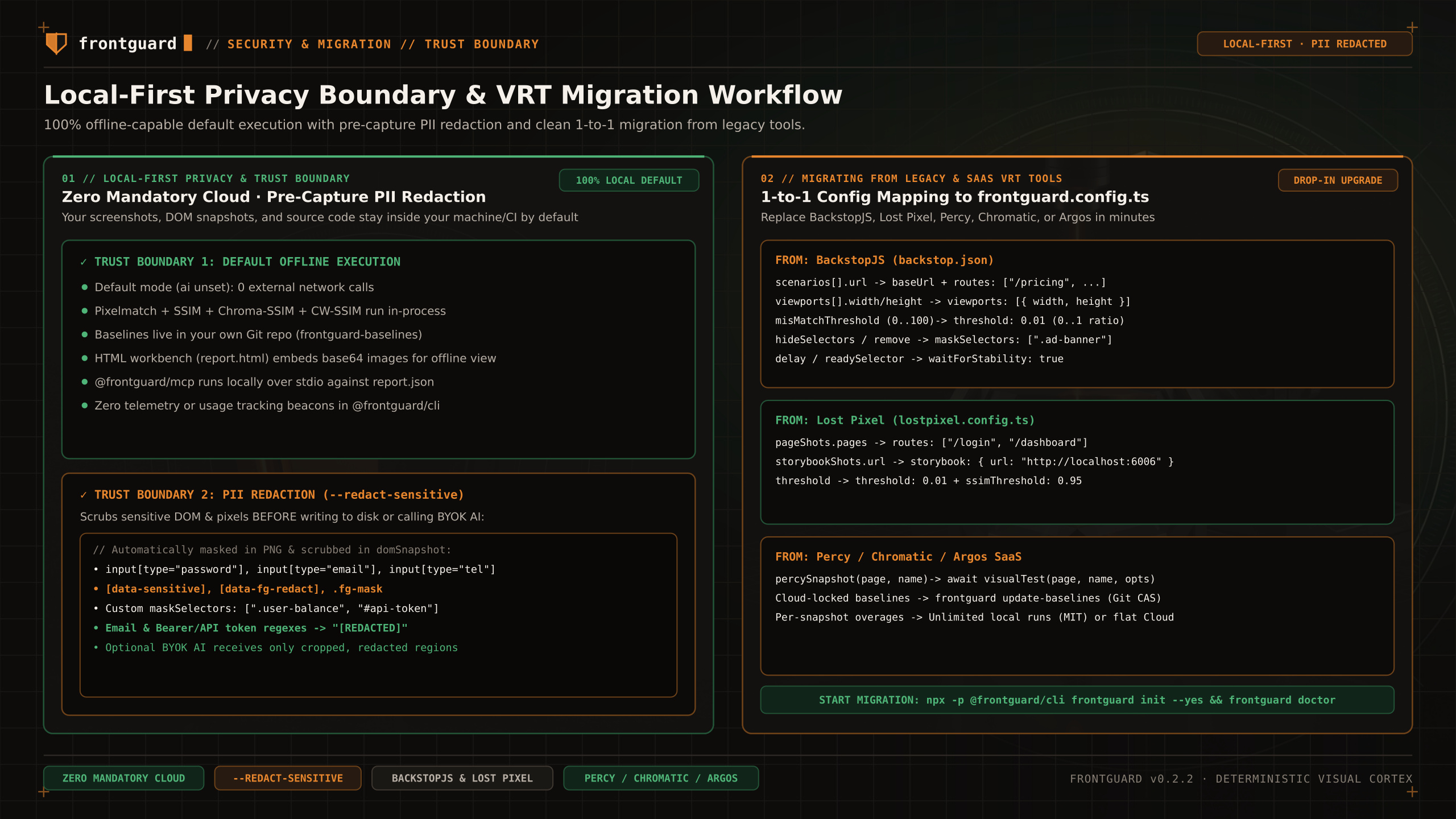
Translate BackstopJS scenarios, viewports, selectors, and percentage thresholds into a single typed frontguard.config.ts file.
Scope
- Map scenario URLs to routes and viewport widths.
- Convert misMatchThreshold percentages to Frontguard ratios by dividing by 100.
- Start the app, review captures, run frontguard update-baselines --confirm-baselines, and push frontguard-baselines.
- Keep both tools in CI until the new comparisons are independently reviewed.
Configuration mapping
| BackstopJS (backstop.json) | Frontguard (frontguard.config.ts) | Migration Notes |
|---|---|---|
viewports: [{ label, width, height }] | viewports: [375, 768, 1440] | Specify widths as positive integers in CSS pixels (use top-level viewportHeight to override default height). |
scenarios[].url | baseUrl + routes: ["/pricing", ...] | Extract shared origin to baseUrl and list relative paths in routes. |
scenarios[].misMatchThreshold: 1.5 | threshold: 0.015 | Divide BackstopJS percentage (0–100) by 100 to get Frontguard ratio (0–1). |
scenarios[].hideSelectors / removeSelectors | ignore: [{ selector: ".ad-banner" }] | Masks volatile DOM elements before capture. |
scenarios[].readySelector / delay | actions: [{ type: "waitForSelector", selector }, { type: "wait", ms }] | Combine with waitForStability: true for automatic frame convergence. |
bitmaps_reference/ | frontguard-baselines git orphan branch | Managed via frontguard update-baselines --confirm-baselines; keeps main branch free of PNG blobs. |
Baseline migration
Because BackstopJS uses its own Puppeteer/Playwright viewport framing and reference directory structure, do not copy old bitmaps_reference PNGs directly. Instead, boot your application, run frontguard update-baselines --confirm-baselines once to establish fresh Chromium baselines, inspect them, and push frontguard-baselines.
Thresholds
BackstopJS expresses misMatchThreshold on a 0–100 percentage scale (where 0.1 means 0.1%), whereas Frontguard uses a 0–1 ratio scale (where 0.001 means 0.1% and 0.01 means 1%). Always divide your BackstopJS threshold by 100.